Most small business owners treat email like a manual job: write a message, hit send, repeat. That approach works when you have 50 subscribers. It breaks down fast when you have 500, and it falls apart completely when you have 5,000. Email automation solves that problem by letting you build a system once and have it run in the background while you focus on everything else.
This guide covers exactly how to build email automation sequences that nurture leads from first contact to paying customer, without requiring you to touch your inbox every day.
What Email Automation Actually Is (And What It Isn’t)
Email automation means sending pre-written emails triggered by specific actions or time intervals. When someone signs up for your list, downloads your lead magnet, abandons a cart, or buys something, your system sends the right email at the right time automatically.
What it is not: blasting your whole list the same message on a schedule. That’s a broadcast email. Automation is about behavior-triggered, personalized sequences that respond to what a lead actually does.
The two primary types of automated email sequences are:
- Time-based sequences: Emails go out on a set schedule after a trigger (Day 1, Day 3, Day 7, etc.)
- Behavior-based sequences: Emails trigger when someone takes a specific action, like clicking a link, visiting a page, or not opening an email
Most effective nurture sequences combine both.
The Lead Nurture Problem Most Businesses Have
Here is the typical pattern: someone finds your business, signs up for something, and then… nothing happens. Or they get one welcome email and then radio silence until you send a promotional blast two months later. By that point, they have forgotten who you are.
Research from Marketing Sherpa consistently shows that 79% of leads never convert to sales because of a lack of nurturing. The leads are not bad. The follow-up just does not exist.
Email automation fills that gap. Instead of relying on you to manually follow up, your sequences do it for you. The lead goes from “who is this?” to “yes, I trust this business enough to buy” through a series of well-timed, relevant emails that build relationship and credibility over time.
The 5-Stage Lead Nurture Framework
A good nurture sequence has five stages. Not every lead needs all five, but building them out gives you a complete system.
Stage 1: The Welcome (Days 1-2)
Your first email goes out immediately after someone signs up. This is your highest-opened email, often hitting 50-60% open rates compared to the industry average of 21-23%. Do not waste it.
Subject line example: “Here’s what you just unlocked (+ a quick question)”
What to include:
- Deliver what you promised (the lead magnet, the discount, the free resource)
- Briefly introduce who you are and what you do
- Ask one question to spark a reply (“What’s your biggest challenge with X right now?”)
- Set expectations (“Over the next week, I’ll send you…”)
Send a second welcome email on Day 2 sharing your most popular content, your best blog post, a case study, or a strong testimonial. This email establishes credibility before you ever make an ask.
Stage 2: Education (Days 3-7)
This is where most businesses drop the ball. They send one welcome email and then jump straight to selling. The education phase warms up your leads by delivering genuine value before making any pitch.
Three emails over Days 3, 5, and 7:
- Day 3 – The Problem Email: Describe the core problem your audience faces in detail. Show you understand their situation. Subject: “The real reason your [X] isn’t working”
- Day 5 – The Insight Email: Share a counterintuitive insight or framework that shifts how they think about the problem. This is your authority-builder. Subject: “The thing nobody tells you about [topic]”
- Day 7 – The Social Proof Email: Share a customer story, case study, or transformation. Make it specific with numbers. Subject: “How [Name] went from [X] to [Y] in [timeframe]”
Stage 3: The Soft Pitch (Day 10)
After delivering value for 10 days, you have earned the right to mention your offer. This is a soft pitch, not a hard sell. Introduce your product or service as a natural next step.
Subject: “When you’re ready to go further…”
Keep it low-pressure. Acknowledge that the free content alone is valuable. Then explain what working with you directly looks like and link to your offer. Do not use artificial countdown timers or fake urgency at this stage.
Stage 4: Objection Handling (Days 12-15)
Most leads do not buy because of unaddressed objections, not lack of interest. Build two emails specifically designed to handle the most common objections you hear from prospects.
- Day 12 – The FAQ Email: Answer the top 3-5 questions you get before someone buys. Subject: “The questions I get before people say yes”
- Day 15 – The “Is This Right for You” Email: Describe exactly who your offer is for (and who it is not for). Counter-intuitive but effective. It builds trust and pre-qualifies buyers. Subject: “This isn’t for everyone (here’s who it’s for)”
Stage 5: The Close (Days 17-21)
This is where you make your clearest, most direct pitch. Three emails in this stage:
- Day 17: Clear offer with full details, price, and what they get. Subject: “Here’s exactly what you get”
- Day 19: Urgency email if you have a genuine reason (limited spots, closing enrollment, price increase). Subject: “A few things I should mention”
- Day 21: Final email with a clean summary and a direct question. Subject: “Still on the fence? Let’s talk”
If they do not buy, move them to your long-term nurture list for broadcast emails and future promotions. Not every lead buys on their first sequence.
Behavior Triggers That Make Automation Smarter
The sequences above are time-based. Once you have those running, layer in behavior-based triggers for a more intelligent system.
Key triggers to set up:
- Link clicked: Someone clicks a link to your pricing page. Trigger an email 30 minutes later that addresses the most common pricing objections.
- Email not opened: If someone does not open your Day 5 email, send a re-send 24 hours later with a different subject line. Most tools let you automate this.
- Page visited: If someone visits your sales page but does not buy, trigger a follow-up email within an hour. Subject: “Noticed you were checking things out…”
- Purchase made: Immediately remove the prospect from your nurture sequence and add them to your onboarding or customer sequence.
Platforms like ActiveCampaign and Klaviyo handle all of these triggers natively. Mailchimp‘s paid plans support some behavioral automation as well. If you need help setting up a custom sequence, hiring an email automation specialist on Fiverr can save you hours of setup time.
Benchmark Numbers to Aim For
Knowing what good looks like keeps you calibrated. According to Mailchimp’s 2024 email benchmarks, average open rates across industries sit around 21-23%. Here is what strong automation performance looks like:
- Welcome email: 45-60% open rate (well above average)
- Nurture sequence average: 25-35% open rate
- Click-through rate on strong CTAs: 3-5%
- Unsubscribe rate per email: Under 0.2% is healthy
- Sequence-to-sale conversion: Varies widely, but 1-3% of subscribers converting is a realistic baseline for a quality sequence
If your open rates are below 20% across your automated sequence, the problem is usually your subject lines or your sender reputation. Check out our deep dive on email marketing metrics and deliverability to diagnose which one is dragging you down.
The Tools You Need
You do not need expensive software to run effective automation. Here are the tiers:
- Getting started (free): Mailchimp free plan supports basic automation for lists under 500 subscribers. Enough to test your sequences before investing.
- Growing business ($20-$50/month): ActiveCampaign or ConvertKit handle most of what this guide describes. ActiveCampaign’s visual automation builder is particularly good for complex sequences.
- E-commerce focused ($45+/month): Klaviyo is built for Shopify and WooCommerce stores with deep behavioral triggers tied to purchase data.
The right tool is the one your team will actually use and keep updated. A perfectly built Klaviyo automation you never maintain is worse than a simple Mailchimp sequence you iterate on monthly.
If you’re still building your list from scratch, start with our guide on how to build an email list from zero before setting up your automation sequences.
Common Mistakes That Kill Automation Results
- Sending too many emails too fast: Three emails in two days signals spam and kills your deliverability. Space them out.
- Writing in corporate-speak: Automated emails need to feel personal. Write like you are talking to one person, not addressing a crowd.
- Never updating your sequences: If you built your welcome sequence two years ago and have not touched it since, audit it now. Products change, offers change, what resonates changes.
- Ignoring mobile: Over 60% of emails are opened on mobile. Short paragraphs, large fonts, single-column layouts.
- Failing to remove buyers: If someone buys and keeps receiving your pitch emails, you look disorganized and damage the relationship.
For a full walkthrough on A/B testing your sequences for better performance, see our guide on how to A/B test your emails.
Start Small, Then Scale
You do not need to build a 21-email automation sequence on day one. Start with Stage 1 and Stage 2: a 3-email welcome sequence that delivers value, introduces your brand, and plants the seed for your offer. That alone will outperform a list that sends no automated emails at all.
Get that running, measure your open rates and click rates, and add stages as you learn what your audience responds to. Email automation is not a one-time project. It is a living system that gets sharper every time you look at the data.
Ready to build the email strategy your business actually needs? Join Hustler’s Library free and get access to the full library of marketing resources, templates, and guides.
Ready to Know Where You Stand?
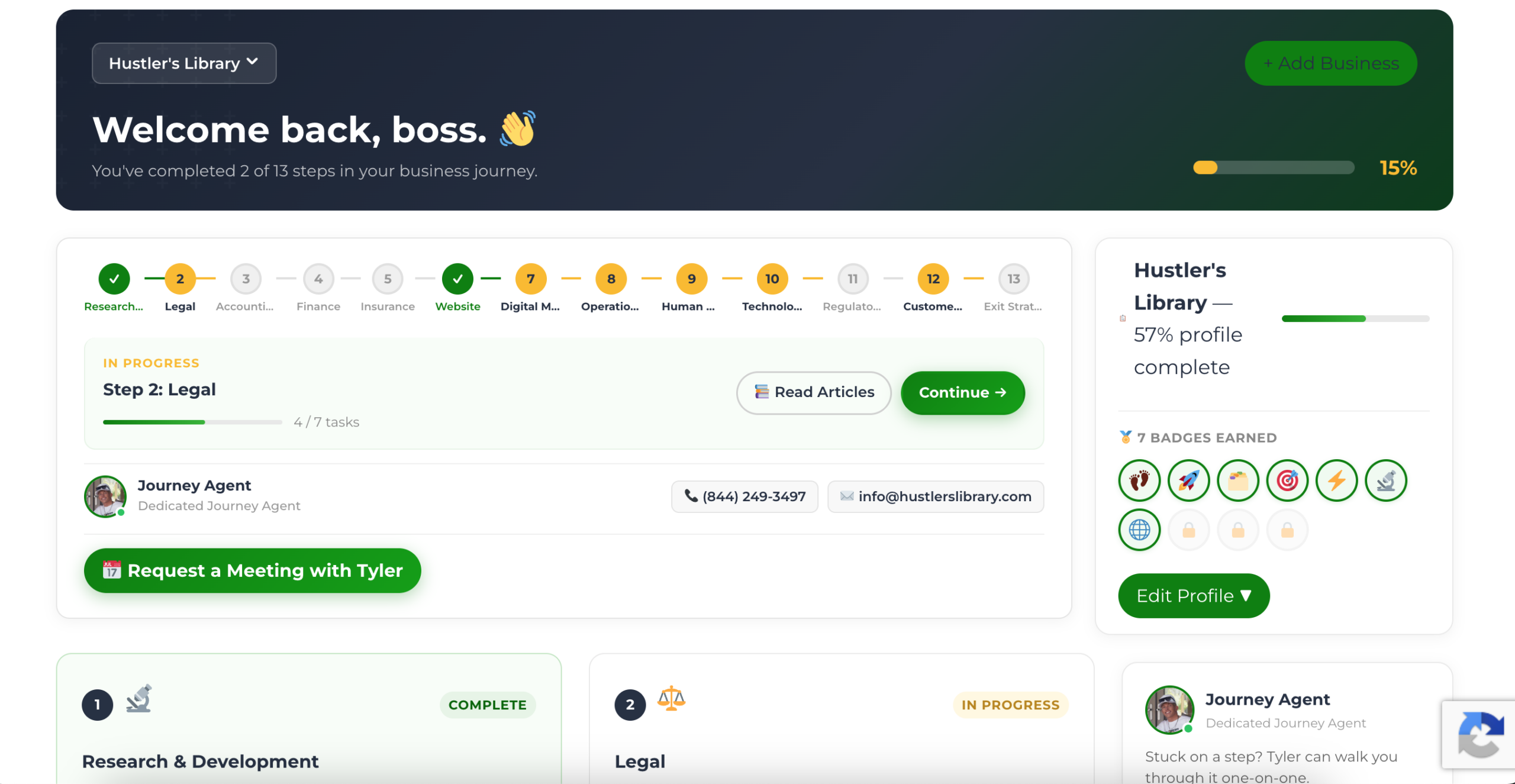
The Business Journey dashboard maps your exact position across all 13 stages. Track your progress, unlock resources for each step, and build with a framework used by thousands of founders at Hustler's Library.
No credit card required · Takes 3 minutes · Personalized to your stage