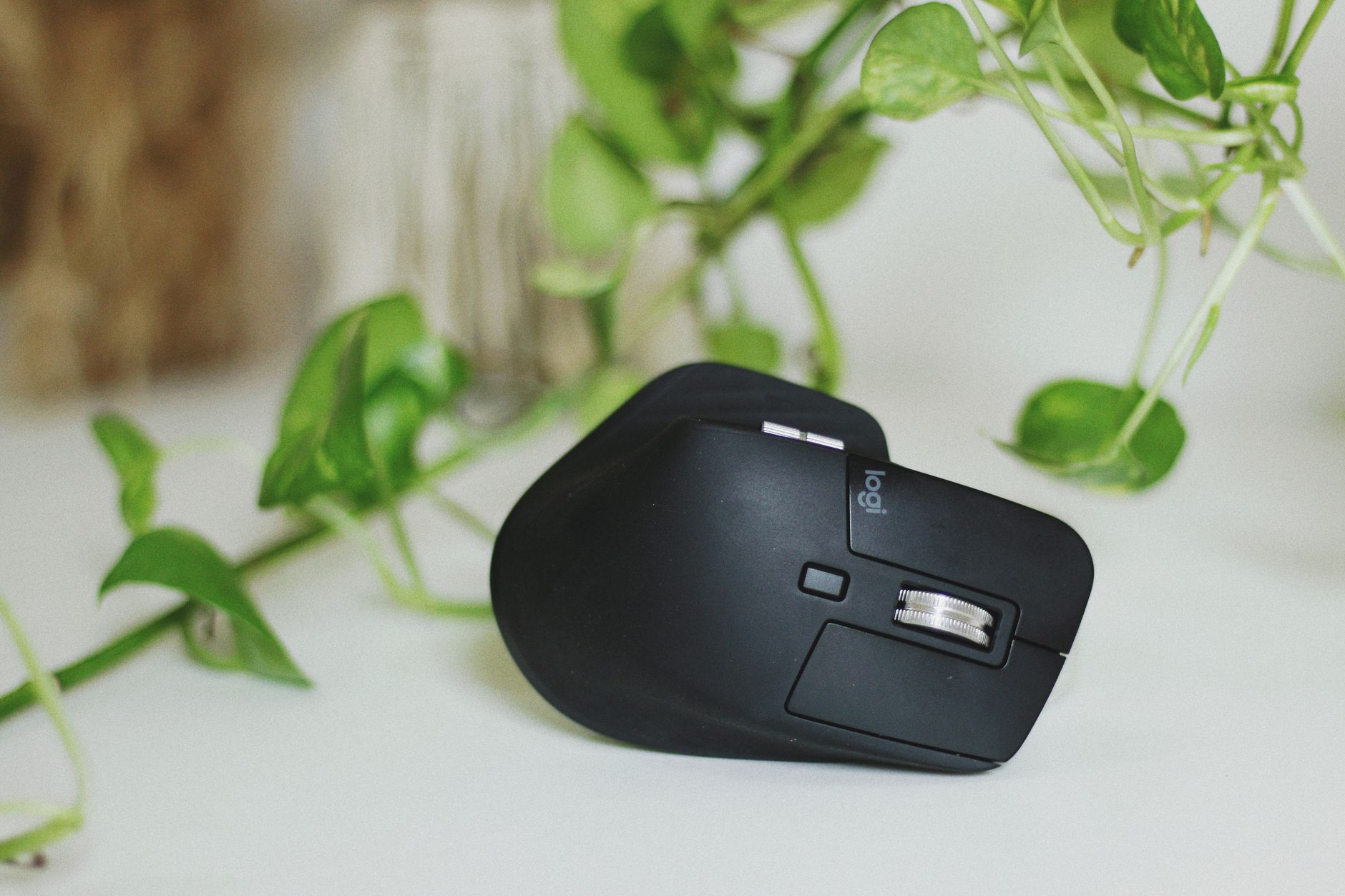
Your mouse is the most-used piece of hardware on your desk. You touch it hundreds of times per hour, and if it’s the wrong tool, you’ll feel it in your wrist, shoulder, and neck before the afternoon is over. For entrepreneurs who spend six to ten hours a day at a computer, this is not a minor purchase decision.
This guide covers the best ergonomic mice in 2026 for people who work long hours and want something that actually fits the hand, reduces strain, and keeps up with demanding workflows. We’ll go tier by tier: budget, mid-range, and premium, with honest trade-offs at each level.
Why Ergonomics Actually Matter Here
A standard flat mouse puts your forearm in a pronated position (palm facing down) for hours at a time. Over weeks and months, that creates tension in the forearm muscles and can lead to repetitive strain injury, carpal tunnel symptoms, or plain old tendinitis. Ergonomic mice solve this two ways: vertical mice tilt your hand to a natural “handshake” position, and sculpted mice like the MX Master use a contoured shape that supports the thumb, palm, and fingers rather than letting your hand hover.
You don’t have to already have wrist pain to benefit. Prevention is cheaper than a physical therapist.
Budget Tier: Under $40
Anker Vertical Ergonomic Mouse ($25-$30)
If you’ve never tried a vertical mouse, this is the place to start before committing real money. The Anker vertical mouse holds your hand at roughly 57 degrees (close to a natural handshake), which immediately reduces forearm rotation. It’s wireless, runs on AA batteries for months, and has three DPI settings.
The trade-offs are real: the build quality feels plasticky, the scroll wheel is mushy, and there’s no customizable software. But for under $30 on Amazon, it’s a legitimate ergonomics trial run. If vertical works for you, upgrade to the Logitech MX Vertical at the mid tier.
Logitech M575 Trackball ($49)
Technically just over budget but worth including here: the M575 is a trackball, not a traditional mouse, which means your hand sits completely still while your thumb does all the moving. Zero wrist movement. For people who already have strain issues, this can feel like a revelation. It’s a different paradigm and takes about a week to adjust, but a lot of entrepreneurs never go back once they do. Pick it up on Amazon.
Mid Tier: $70-$120
Logitech MX Vertical ($99)
The MX Vertical is the most direct answer to the vertical mouse concept from a premium brand. It holds your hand at 57 degrees, has a proper DPI sensor (up to 4,000 DPI), charges via USB-C, and connects to up to three devices via the Unifying receiver or Bluetooth. The build quality is miles ahead of the budget options.
Who it’s for: if you already know you want vertical and you want something that looks professional and lasts for years, this is the call. It’s available on Amazon for around $99.
What it’s not: it’s not a speed mouse. The vertical orientation isn’t ideal for people who do a lot of fast clicking (editing, design work) because repositioning quickly takes a fraction longer than with a horizontal mouse.
Microsoft Arc Mouse ($80)
The Arc Mouse is a completely different philosophy. It’s flat and flexible, which means it literally snaps into a curved shape when you’re using it and flattens for travel. It’s ultra-portable and looks sharp. Microsoft designed it as a travel companion for Surface users, and it works brilliantly in that role.
The ergonomics story here is about the touch scroll strip rather than the shape. There are no physical buttons to click aggressively, which reduces impact stress on the fingers. The curved form gives slight palm support when arched.
But be honest with yourself: the Arc Mouse is not an all-day workhorse ergonomic tool. It’s a beautiful travel mouse with some ergonomic benefits. If your main concern is wrist strain from eight hours of daily use, get the MX Master or MX Vertical instead. If you travel frequently and want one mouse that does everything, the Arc at ~$80 on Amazon is worth serious consideration.
Premium Tier: The Logitech MX Master 3S ($99-$109)
The MX Master 3S is the best all-around mouse for entrepreneurs who work long hours, and it’s been the answer to that question for three generations now. It’s not strictly “vertical” in design, but its sculpted shape supports the natural curve of the right hand better than almost anything else available.
Here’s what makes it worth the price:
MagSpeed electromagnetic scroll wheel. This is genuinely different from anything else. You can spin through a long document in milliseconds, but it also has tactile clicks when you slow down. It switches between modes automatically. If you work in spreadsheets, long documents, or web browsers all day, you’ll use this feature constantly and immediately notice its absence on other mice.
Customizable thumb buttons and scroll wheel. The Logitech Options+ software lets you assign every button to context-specific actions. In Chrome: back/forward. In Photoshop: undo/redo. In Excel: column-jump. Once you set this up, you realize how much time you were wasting reaching for the keyboard for routine shortcuts.
Multi-device support. Connect up to three devices (laptop, desktop, tablet) and switch between them with a button on the bottom. For people who run a workstation and a laptop, this is a daily-use feature, not a novelty.
USB-C charging. Full charge in under two hours. Battery lasts up to 70 days per charge in real-world use.
The “S” in MX Master 3S refers to a quieter click mechanism versus the previous version. It’s meaningfully quieter in shared office or meeting settings.
Available on Amazon for around $99-$109 depending on color. There’s also a Mac-specific version optimized for macOS gestures, but the standard version works perfectly on Mac too.
The Outlier: Kensington Expert Wireless Trackball ($99)
The Kensington Expert is the trackball for people who want more precision and a larger ball than the Logitech M575. The ball is 2.75 inches and can be controlled by any combination of fingers, not just the thumb. This makes it significantly more comfortable for design work or anything requiring fine cursor movement.
The scroll ring around the ball is clever and satisfying. Build quality is solid. The ProFit software allows full customization. At $99 on Amazon, it competes directly with the MX Master 3S for a fundamentally different type of user.
If you type and scroll a lot more than you click rapidly: trackball. If you do fast, precise clicking mixed with scrolling: MX Master 3S.
Left-Handed and Ambidextrous Options
Most ergonomic mice are designed for right-handers. Left-handed entrepreneurs have fewer premium options, but the Logitech MX Anywhere 3 (~$70) is symmetrical and fully ambidextrous with solid ergonomics for both hands. It’s also the best compact option if you prefer a smaller footprint. Find it on Amazon.
What to Pair Your Mouse With
The mouse is only part of the equation. A good ergonomic setup also involves keyboard position, desk height, and monitor placement. If you’re rethinking your full setup, check out the guide on best mechanical keyboards for entrepreneurs and the breakdown on USB-C hubs and docking stations to get everything talking to each other cleanly. For the full picture on monitor positioning, the desk lamp and lighting guide covers ergonomic screen glare reduction as well.
Wirecutter’s ergonomic mouse review is also worth a read if you want a second opinion from a testing-focused publication.
The Recommendation, Simply Put
If you work at a desk more than five hours a day and you’re still using a standard flat mouse, stop. The MX Master 3S is the pick for most entrepreneurs: it handles every workflow, charges fast, lasts for months per charge, and the MagSpeed scroll wheel alone justifies the price after a week of use.
If you have active wrist or forearm pain already, try the MX Vertical first. If you’re open to a paradigm shift and spend most of your time scrolling through long documents, the Kensington Expert trackball is worth a trial.
Your productivity setup is one of the few places where spending $100 instead of $25 has a direct, daily return on investment. This is the right place to stop being cheap.
Want more gear picks, productivity tools, and no-fluff entrepreneur advice? Join Hustler’s Library free and get the good stuff delivered to your inbox.
Ready to Know Where You Stand?
The Business Journey dashboard maps your exact position across all 13 stages. Track your progress, unlock resources for each step, and build with a framework used by thousands of founders at Hustler's Library.

No credit card required · Takes 3 minutes · Personalized to your stage