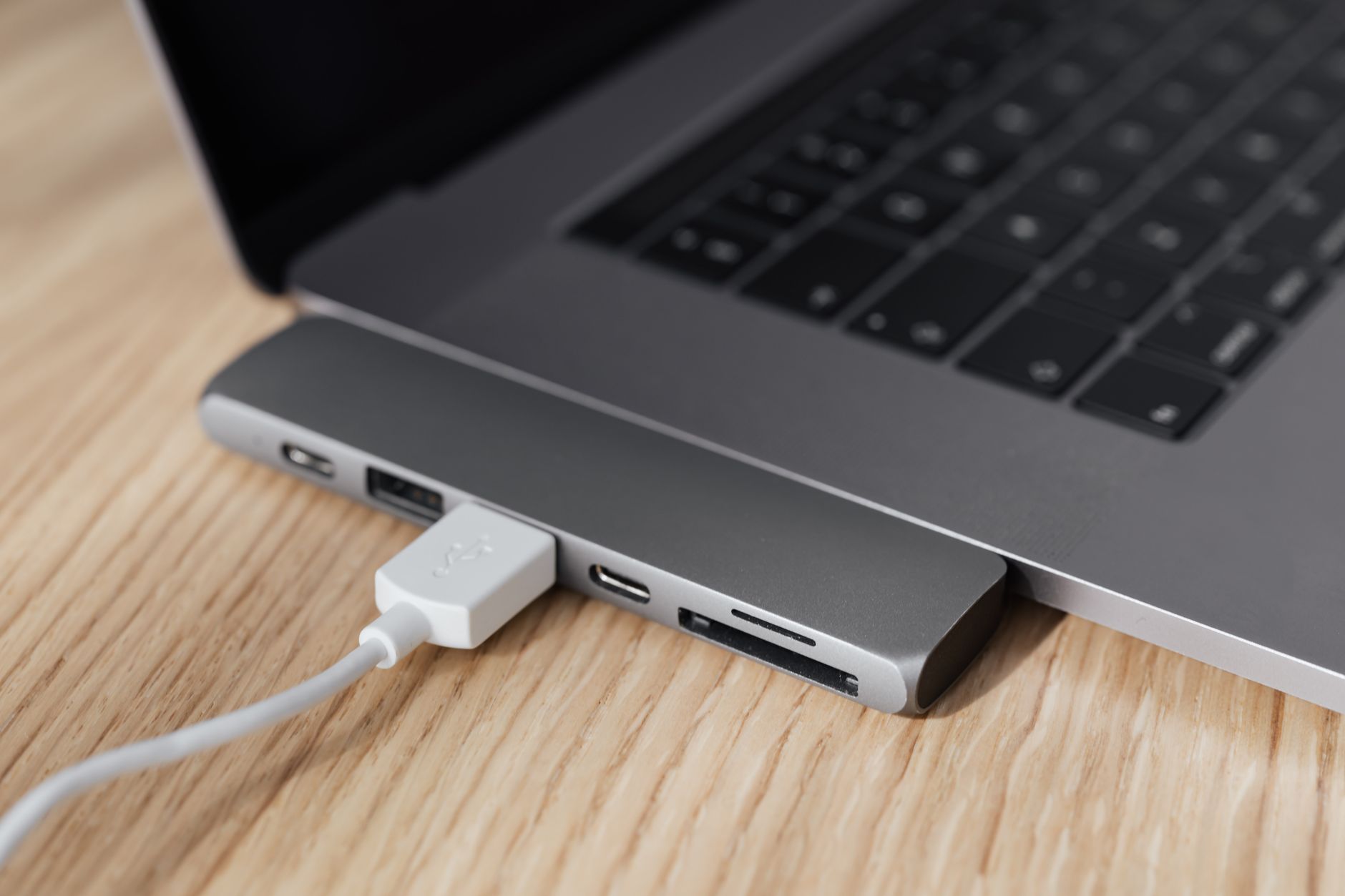
Your laptop has one USB-C port. The monitor needs a connection. So does the external keyboard. The webcam. The SD card from last week’s shoot. The phone charging cable. The ethernet adapter because WiFi drops during important calls.
Welcome to the USB-C bottleneck problem. A good hub or docking station solves all of it in one shot. A bad one creates new problems: dropped connections, slow charging, unreliable video output, and a desk that looks like a cable graveyard.
This guide covers the best USB-C hubs and docking stations for entrepreneurs and remote workers in 2026, broken down by use case and budget. The products are specific, the prices are real, and the trade-offs are honest.
Hub vs Docking Station: Know the Difference Before You Buy
People use these terms interchangeably, but they’re meaningfully different products:
- USB-C Hub: A smaller, bus-powered device that draws power from your laptop. Plug it into your USB-C port and you get 5-10 extra connections. Portable, no external power brick required, but limited in how much power it can deliver to connected devices. Best for travel setups or lighter workloads.
- Docking Station: A larger device with its own power adapter. It can power your laptop, drive multiple 4K monitors, charge devices at full speed, and handle everything simultaneously without thermal throttling. Best for permanent desk setups.
The rule of thumb: if you’re building a stationary home office setup, get a docking station. If you travel and want to replicate your desk setup at hotels and client offices, get a portable hub. Some people need both.
If you’re still building your setup from scratch, the workspace productivity guide is worth reading alongside this one before you buy anything.
Budget Portable Hubs: Under $50
Anker 341 USB-C Hub (7-in-1, ~$30)
Anker is the brand most people land on when they want a reliable, affordable hub without spending an hour reading reviews. The 341 7-in-1 gives you: 4K HDMI, 2x USB-A 3.0, 1x USB-C data, 1x USB-C power delivery (up to 85W), SD card slot, and microSD slot.
At $30, this is the right entry point for anyone who just needs to connect a monitor, charge their laptop, and run a couple of peripherals. It won’t drive two monitors, and it doesn’t have an ethernet port, but for basic single-monitor remote work, it’s hard to argue with the value.
The trade-off: Bus-powered means your laptop is powering the hub and everything connected to it. Under a heavy load (4K video out + charging + multiple USB devices), some laptops thermal throttle. If you run demanding workflows, spend more.
Search the Anker 341 on Amazon
Baseus 9-in-1 USB-C Hub (~$40)
Baseus packs a bit more into the budget tier: 4K HDMI, 3x USB-A, 1x USB-C PD, SD/TF card slots, and 3.5mm audio jack. The build quality is solid for the price, and Baseus has built a real reputation in the hub space over the past few years.
The audio jack is a useful addition if your monitor doesn’t have built-in speakers and you use wired headphones. At $40, this is a good buy for remote workers who want a portable hub that covers the basics without relying on the brand name markup of the Anker line.
Search Baseus USB-C hubs on Amazon
Mid-Range: $60 to $150
Anker 563 USB-C Hub (10-in-1, ~$80)
This is where Anker starts getting serious. The 563 adds what the budget 341 is missing: a built-in ethernet port (up to 1Gbps), which is genuinely important if you’re on video calls and your WiFi is less than rock-solid. You also get 100W pass-through charging, dual HDMI (supports two monitors), 3x USB-A, 2x USB-C, and SD/microSD.
Dual HDMI is the headline feature here. If you’re running a two-monitor setup or want the flexibility to add a second screen, this hub handles it without a separate display adapter. For an $80 bus-powered hub, that’s strong.
The honest caveat: Dual monitor support via a bus-powered hub can be inconsistent depending on your laptop’s chipset. MacBook Pro handles it well. Older Windows machines with USB-C 3.1 (not Thunderbolt) may have limitations. Check your specs before buying.
Search the Anker 563 on Amazon
UGREEN Revodok 106 6-in-1 (~$50) and Revodok Pro 109 9-in-1 (~$80)
UGREEN has been closing the gap on Anker in the hub space and their Revodok line is worth knowing about. The Revodok 106 is a compact travel hub (4K HDMI, 3x USB-A, 100W PD, ethernet) at $50 — a strong value for travelers who want ethernet without going to $80.
The Revodok Pro 109 steps up to 9 ports including dual 4K HDMI, 3x USB-A, USB-C data, 100W PD, SD/microSD, and Gigabit ethernet, all in a compact form factor. It’s a legitimate competitor to the Anker 563 at similar pricing. UGREEN’s build quality and cable management are marginally better than Anker at this tier in recent reviews.
Search UGREEN Revodok hubs on Amazon
For a perspective on how this fits with a complete monitor and peripheral setup, check out the best webcams for business video calls — your hub and webcam often share bandwidth, so it’s worth getting both right at the same time.
Premium Docking Stations: $150 and Up
CalDigit TS4 Thunderbolt 4 Dock (~$380)
The CalDigit TS4 is the dock that serious home office people stop shopping after they buy. It requires Thunderbolt 4 (or USB4 40Gbps) but rewards you with 18 total ports: 3x Thunderbolt 4 (including one for the host laptop), 5x USB-A, 3x USB-C, dual DisplayPort 1.4, an SD 4.0 card slot, 2.5Gbps ethernet, and 98W laptop charging. All running simultaneously without compromise.
The TS4 is built for power users: video editors, developers, founders who run multiple monitors and need every port to work reliably every single time. It’s not cheap at $380, but it’s the dock that tech reviewers and professionals consistently point to as the benchmark.
The requirement: Thunderbolt 4. If your laptop only has USB-C 3.1 or 3.2 without Thunderbolt, the TS4 will work but you won’t unlock its full potential. Check your laptop specs before spending this much.
Search the CalDigit TS4 on Amazon
Anker 777 Thunderbolt Docking Station (~$280)
The Anker 777 is the Thunderbolt dock for people who want CalDigit-level reliability at a lower entry price. It has 12 ports, 90W laptop charging, dual HDMI (one at 4K/60Hz), 2.5Gbps ethernet, and 3x USB-A. It runs on Thunderbolt 4 as well and handles dual-monitor setups without the connection drops that plague cheaper docks.
The difference between the 777 and the TS4 comes down to port count and SD card speed. The CalDigit wins on raw expandability. For most entrepreneurs running two monitors, a keyboard, mouse, webcam, and ethernet, the Anker 777 is everything they need at $100 less.
Search the Anker 777 on Amazon
Plugable 14-in-1 USB-C Docking Station (~$150)
If your laptop doesn’t have Thunderbolt and you need a full docking station experience, the Plugable 14-in-1 is the best option at the $150 price point. It uses USB-C 3.2 Gen 2 and delivers dual 4K display support (via DisplayPort and HDMI), Gigabit ethernet, 96W laptop charging, 4x USB-A, 2x USB-C, and SD/microSD card slots.
Plugable has strong technical support and is transparent about which laptops their docks work best with. That matters with USB-C docks where compatibility varies more than it does with Thunderbolt. Check their compatibility tool on the product page before purchasing.
Search Plugable docking stations on Amazon
How to Choose: A Simple Framework
There are really three questions to answer:
- Does your laptop have Thunderbolt 4 or USB4 40Gbps? If yes, the premium docks (CalDigit, Anker 777) are worth the investment for a permanent desk. If no, stick to USB-C hubs or the Plugable-style docks built for USB-C 3.2.
- Are you at your desk every day, or do you travel frequently? Travel = portable hub. Desk = docking station. No shame in owning both.
- How many monitors are you driving? Single monitor: almost any mid-range hub works. Dual monitors: you need a hub or dock that explicitly supports dual display output, and you need to verify it works with your specific laptop.
If you’re running a full home office and ready to build out the whole thing, the best portable monitors for business travel pairs perfectly with a travel hub setup.
What to Avoid
Generic no-name hubs sold for $15 to $20 on Amazon tend to have one or more of these problems: overheating under moderate load, unreliable 4K output (frame drops, flickering), unstable ethernet connections, and power delivery that says 100W but actually delivers 40W. The savings aren’t worth the reliability problems during a client call or a deadline crunch.
Stick with Anker, UGREEN, CalDigit, Plugable, or Baseus. These brands have reputations to protect and consistent product support. The price premium over generics is minimal at the mid-range tier and completely justified.
The Bottom Line
The right answer for most entrepreneurs comes down to two scenarios:
- Home office, single monitor, budget-conscious: Anker 341 7-in-1 (~$30) or Anker 563 10-in-1 (~$80) if you want ethernet.
- Serious home office, dual monitors, Thunderbolt 4 laptop: Anker 777 (~$280) or CalDigit TS4 (~$380) if you need maximum expandability.
- Travel setup: UGREEN Revodok Pro 109 (~$80) for the right balance of ports, ethernet, and portability.
One good hub or dock eliminates a desktop cable problem permanently. That’s the kind of one-time fix that pays for itself the first time you sit down to work without untangling adapters.
Want more recommendations on building a productive, well-equipped work setup? Join Hustler’s Library for free and get access to gear guides, business tools, and resources built for entrepreneurs who take their work environment seriously.
Ready to Know Where You Stand?
The Business Journey dashboard maps your exact position across all 13 stages. Track your progress, unlock resources for each step, and build with a framework used by thousands of founders at Hustler's Library.

No credit card required · Takes 3 minutes · Personalized to your stage