If you have a smartphone, you have scanned a QR code. You have seen them on restaurant tables, store windows, business cards, and product packaging. But if you are a small business owner and QR codes are not yet part of your marketing toolkit, you are leaving a fast, free, and surprisingly powerful tool on the table.
This guide breaks down exactly how to use QR codes to drive traffic, grow your audience, and sell more, without needing a tech background or a big budget.
What Is a QR Code (And Why Should You Care)?
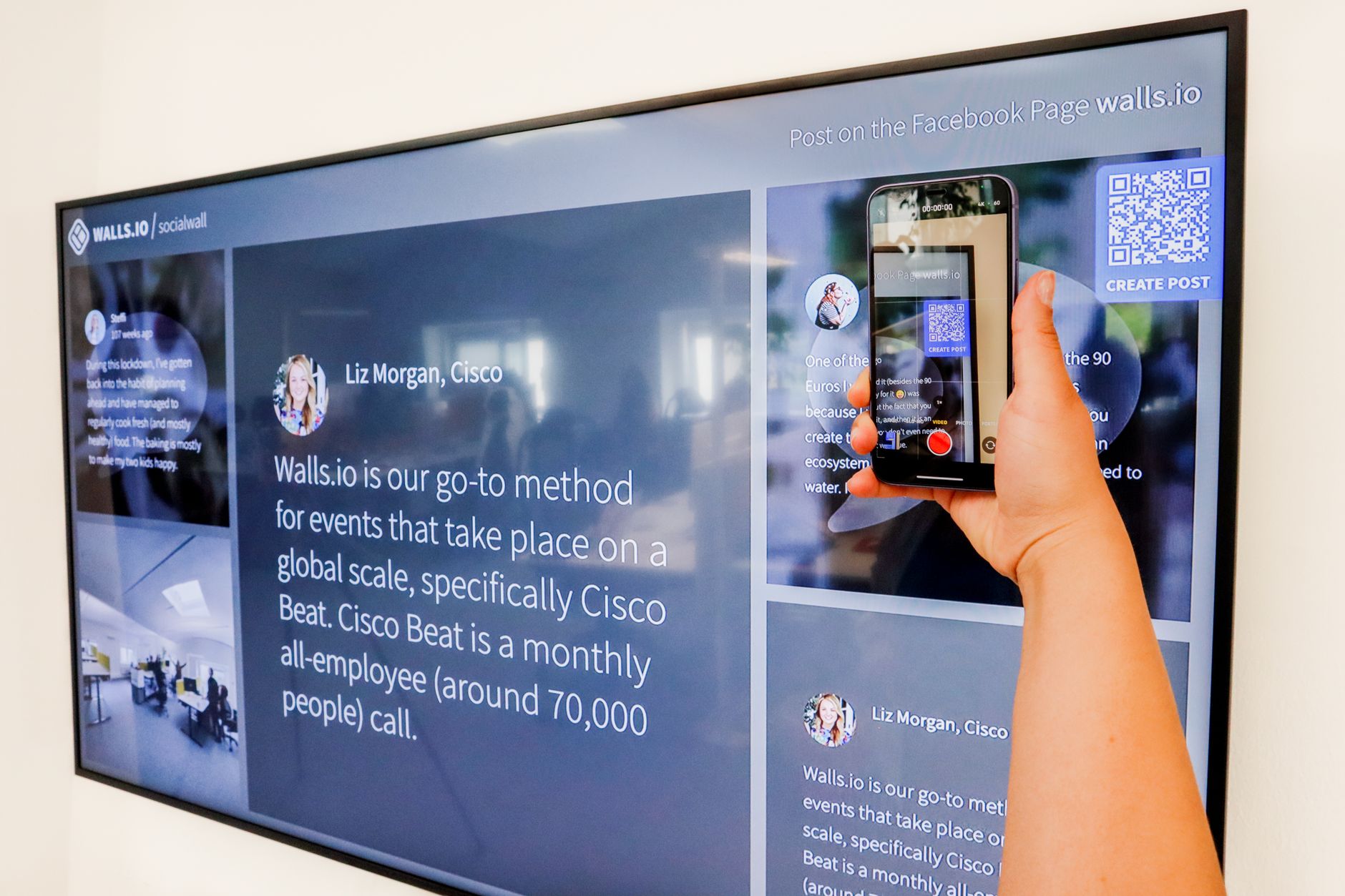
A QR code (short for Quick Response code) is a scannable image that links to a URL, a phone number, a PDF, a menu, a social profile, or virtually any digital destination. When someone points their smartphone camera at it, they are instantly taken to wherever you want them to go.
For small businesses, that is a big deal. You can bridge the gap between the physical world and your digital presence in a single second, no typing, no searching, no friction.
And here is the best part: basic QR codes are completely free to generate. Tools like QR Code Generator, Canva, and Adobe Express let you create them in under a minute.
Where Small Businesses Are Using QR Codes Right Now
Before we get into strategy, here are some of the most common and effective places small business owners are using QR codes today:
- Restaurant menus: Link to a digital menu instead of printing new ones every time something changes.
- Storefronts and windows: Capture foot traffic even when you are closed, letting people visit your website or follow you on social media.
- Business cards: Link to your portfolio, booking page, or LinkedIn profile.
- Packaging and receipts: Direct customers to leave a review, watch a tutorial, or join a loyalty program.
- Print ads and flyers: Turn offline marketing into a trackable digital campaign.
- Trade show booths: Let visitors grab your contact info, download a brochure, or sign up for a demo.
- Event signage: Drive social follows, contest entries, or RSVPs in real time.
Step 1: Choose the Right QR Code Tool
Not all QR code tools are equal. Here is what to look for:
Static vs. Dynamic QR Codes
Static codes are free but permanent. Once created, you cannot change where they link. If your URL changes, the code is useless.
Dynamic codes (usually a small monthly fee) let you update the destination URL at any time without reprinting the code. They also give you scan analytics: how many people scanned it, when, and from where.
For anything printed in bulk, like menus, signage, or packaging, dynamic codes are worth the investment. For one-off uses like a single event or a quick test, static codes work fine.
Tools Worth Trying
- QR Code Generator (qr-code-generator.com): Easy free tier, good dynamic option
- Bitly: QR code creation plus link tracking in one platform
- Canva: Integrated QR code creation for branded designs
- QRCode Monkey: Free with design customization including logo embedding
Step 2: Send People Somewhere Valuable
The biggest mistake small business owners make with QR codes is linking to their homepage and calling it done. A generic homepage rarely converts. Send people somewhere specific and relevant to the context in which they scanned the code.
Here are high-value destinations to consider:
- A landing page with a lead magnet (free guide, checklist, discount) in exchange for their email
- A Google review link so satisfied customers can leave feedback in 30 seconds
- A scheduling link like Calendly so prospects can book a call immediately
- A product or service page with a strong call to action
- A social media profile to grow your following
- A video (product demo, behind-the-scenes, testimonial)
- A loyalty program sign-up at the point of purchase
Match the destination to the moment. A QR code on a receipt should probably link to a review page or loyalty program. A code at a trade show booth might link to a lead capture form. Think about what a person needs right at that moment and send them there.
Step 3: Design Your QR Code to Get Scanned
A QR code that no one notices is a QR code that does not work. A few design principles:
Size Matters
A QR code needs to be at least 1 inch x 1 inch for a typical smartphone to scan from 6 to 8 inches away. For storefront signage or posters, go much larger. A 3-inch minimum is a safe bet for anything intended to be scanned from more than a foot away.
Contrast Is Everything
Dark code on a light background. Always. Light on dark often fails to scan reliably. If you are branding the code with custom colors, test it on multiple devices before printing in bulk.
Add a Call to Action
Never display a QR code without telling people what they will get. A simple line above or below the code makes a dramatic difference in scan rates:
- “Scan to leave us a review”
- “Scan for today’s specials”
- “Scan to book your free consult”
- “Scan to claim your discount”
Brand It
Most QR tools let you embed your logo in the center of the code. This builds trust, especially when displayed in a public setting where people may hesitate to scan an unfamiliar code. Your branding signals legitimacy.
Step 4: Put Your QR Codes to Work
Here are some specific high-impact plays for small business owners:
The Review Accelerator
Print a small card or sticker with a QR code linking directly to your Google review page. Hand it to customers at checkout or include it with orders. The scan-to-review path removes the friction that keeps most happy customers from leaving feedback. More reviews mean more visibility in local search.
The After-Hours Capture
Place a QR code on your storefront window linking to a lead capture page or your booking system. When someone walks by after hours and wants to know more, they can take action right then instead of forgetting by morning. This one placement alone can generate leads around the clock at zero ongoing cost.
The Print-to-Digital Bridge
If you run print ads, distribute flyers, or send direct mail, a QR code transforms a static piece of paper into a trackable marketing asset. You will be able to measure how many people scanned it and which printed materials drove actual traffic. That data helps you spend smarter next time. This pairs well with the strategies covered in how to use print advertising to grow your small business.
The Social Follower Builder
Add a QR code to your packaging, receipts, or in-store displays linking to your most active social media profile. Include a clear incentive: “Scan and follow for exclusive deals.” Every customer who walks out the door is a potential follower, but only if you make it easy.
The Business Card Upgrade
A QR code on your business card that links to a landing page with your portfolio, booking link, or a brief video introduction instantly makes you more memorable. While everyone else hands out a card with a phone number, you are delivering an experience.
Step 5: Track Your Results
One of the biggest advantages of dynamic QR codes is the data. You can see exactly how many times a code was scanned, what time of day, and in some tools, the general location. This turns your offline marketing into something measurable.
Use that data to answer real questions:
- Is the window sign driving scans, or should I move it?
- Do people scan more at lunch or in the evening?
- Which flyer placement got the most engagement?
- Is the business card QR code actually working?
Understanding your customer’s behavior makes every future marketing decision sharper. If you are not already tracking how visitors interact with your site after scanning, pairing QR analytics with website heat maps can give you an even fuller picture of what drives action.
Common QR Code Mistakes to Avoid
- Linking to a non-mobile-friendly page: Most QR scans happen on smartphones. If your destination page is hard to read on a small screen, you lose people immediately.
- No call to action: A mystery QR code does not get scanned. Tell people what they will find.
- Too small to scan: Always test before printing at scale.
- Static codes on bulk-printed materials: One URL change and everything becomes outdated. Use dynamic codes for any high-volume print run.
- Not testing across multiple phones: Some older devices or camera apps handle certain QR formats differently. Scan your own code on an iPhone, an Android, and ideally an older device before launch.
- Forgetting to track: Without a dynamic code or UTM parameters on the destination URL, you are flying blind.
Quick-Start: Your First QR Code Campaign in Under an Hour
If you want to start today, here is the simplest version:
- Go to QR Code Generator or Bitly and create a free dynamic code linking to your Google review page or booking link.
- Download the code as a high-resolution PNG or SVG.
- Open Canva, drop the code onto a simple card template, add your logo and a one-line call to action, and download as a PDF.
- Print 50 to 100 copies at your local print shop (usually under $10).
- Start handing them out and watch the reviews or bookings roll in.
That is it. No developer needed, no technical expertise required. Just a smartphone, a few minutes, and a clear idea of where you want to send people.
The Bottom Line
QR codes are not a trend that came and went. They are now a permanent, expected part of how customers interact with businesses in the real world. The pandemic normalized them, and consumers never looked back. For small business owners, they are one of the most affordable ways to connect offline marketing to measurable digital results.
Start with one use case: your storefront, your business card, or your receipt. Get a feel for how it works, check the analytics, and then expand from there. Building a consistent, data-driven local presence does not require a big budget. It requires showing up in the right places at the right moments, and a well-placed QR code can do exactly that. This is one more tool in your effort to drive more foot traffic and local engagement without spending a fortune.
Want more practical tools and strategies for growing your small business? Join Hustler’s Library for free and get access to guides, resources, and a community of entrepreneurs who are building for real.
Ready to Know Where You Stand?
The Business Journey dashboard maps your exact position across all 13 stages. Track your progress, unlock resources for each step, and build with a framework used by thousands of founders at Hustler's Library.

No credit card required · Takes 3 minutes · Personalized to your stage