
On October 20, 2026, Google’s Gemini app quietly crossed a line most business software never does: it stopped being a chatbot and started acting like an operating system for your brand.
Vishnu Sivaji, senior director of the Gemini app, announced a dedicated business landing page rolling out globally to all Gemini users “in the coming days.” The update ships three new capabilities at once: a Brand Kit system powered by Google’s Nano Banana 2.1 image generation model, automated financial analytics that convert raw spreadsheets and receipts into interactive forecasting charts, and a unified app hub connecting Google Business Profile, Google Ads, and Google Workspace alongside seven third-party platforms including Shopify, Canva, Adobe, Wix, Zoho, Dropbox, and Xero.
This isn’t a feature drop. It’s Google repositioning Gemini from a tool you open occasionally to the central nerve of how a small business operates day-to-day.
What Changed
Before this update, Gemini was useful for drafting copy, answering questions, and light research. It was helpful the same way any smart assistant is helpful: on demand, when you remembered to use it.
The new business landing page changes the orientation entirely. Instead of asking Gemini for something, you now build your brand context into it once and let it work continuously. The Brand Kit system lets you upload your logo, color palettes, fonts, and website assets a single time. After that, Nano Banana 2.1 generates on-brand ad creatives, product launch visuals, and campaign collateral automatically, maintaining visual consistency without you re-entering style prompts every time.
The financial analytics layer is the other meaningful addition. Gemini can now ingest disorganized spreadsheets, digital receipts, and purchase ledgers and produce interactive financial graphics and forecasting models in real time. For a business owner who isn’t a numbers person, that’s the difference between knowing your cash flow and hoping you do.
The app connections are what tie it together. Pulling Google Ads data, Shopify order history, and Xero accounting into a single Gemini interface means you’re no longer toggling between six browser tabs to understand whether your marketing spend is producing margin. The question of whether something worked can, theoretically, be answered from one place.
The Numbers Behind It
Google cites tens of millions of small business owners already using Gemini for tasks like customer feedback analysis, product brainstorming, and performance review. The company documented specific time savings in the announcement: Morgane, a ceramicist in Bordeaux, France running a business called Bleu Clémentine, saves two to three hours every day using Gemini for product descriptions, newsletters, and social media hooks. She reinvests that time directly into crafting her products.
That anecdote matters more than it looks. Two to three hours a day is roughly 700 hours a year. For a solo operator or a small team, that’s the equivalent of 17 full-time work weeks. If the new business hub produces even half that efficiency gain on the operational side, the ROI math for adopting it fast is not complicated.
Per Google’s Nano Banana 2.1 model, the image generation system was built specifically for brand-style retention, meaning it’s not just producing generic AI images; it’s generating assets calibrated to your specific visual identity. That’s a meaningful distinction from what most SMBs have had access to previously.
The Hustler’s Library Take
Here’s what Google’s announcement doesn’t say, and what every small business owner should hear clearly: the competitive moat you’re building right now isn’t your product, your service, or your pricing. It’s the speed at which you can make decisions and execute on them.
The businesses that will win the next three years aren’t the ones with the best brand guidelines sitting in a Dropbox folder nobody opens. They’re the ones whose brand guidelines are actively informing every asset they produce, every week, without human hands on every output. That’s what Gemini’s Brand Kit system makes possible, and it’s what most SMBs aren’t doing yet because the tooling hasn’t existed.
The contrarian read here: don’t mistake “Google built it” for “Google will make it work for you.” The businesses that are already using AI agents for operational tasks understand that the tool is only as good as the input architecture you build around it. Uploading your brand kit once and forgetting about it won’t produce better results than whatever you’re doing now. Treating it as a living system, feeding it new campaign context, refreshing your financial data regularly, and actually using the app integrations, that’s where the efficiency compounds.
The owners who figure out the system before this rolls out broadly will have a head start on the majority of competitors who’ll spend the next six months reading about it instead of using it. That gap, between knowing a tool exists and building workflows around it, is where most of the real competitive advantage in this AI cycle is actually hiding. It’s the same principle behind building automated systems that compound instead of doing things manually every time.
What You Should Do
1. Set up your Brand Kit this week, before it rolls out to everyone. Early adopters of tools like this tend to get cleaner results because the system isn’t congested with edge cases yet. Upload your logo, color palette, font stack, and a URL to your homepage. Don’t wait for the interface to prompt you through it; be proactive. The goal is to have your visual identity embedded in Gemini before your first campaign brief.
2. Connect your Shopify, Xero, or Google Ads account the day the hub goes live. The financial analytics layer is only useful if it has real data to work with. If you’re running e-commerce or paid advertising, connecting those data sources immediately means you’ll have weeks of historical data in the system by the time you need to make a Q4 budget call. If you’re not already using systems that give you clean operational visibility, this is your forcing function to start.
3. Use the financial graphics output to run a 30-day expense audit. Don’t use the new analytics layer just to make pretty charts. Run your last 30 days of receipts and purchases through it and ask Gemini to identify your three highest-cost line items that aren’t directly tied to revenue. Most small business owners have between one and three significant recurring costs they’ve stopped scrutinizing. This feature makes that audit trivially easy. Do it now while the data is fresh, and tie what you find to your Q4 growth strategy.
Bottom Line
Google built a centralized operating hub for small business inside Gemini, and it’s rolling out globally this week. Brand Kit, financial analytics, and app integrations aren’t individual features; they’re infrastructure. The question isn’t whether this is useful. The question is whether you’ll build the system around it before your competitors do.
Ready to start running a tighter, faster operation? Join Hustler’s Library free for the frameworks, tools, and playbooks that help small business owners move faster than the market.
Ready to Know Where You Stand?
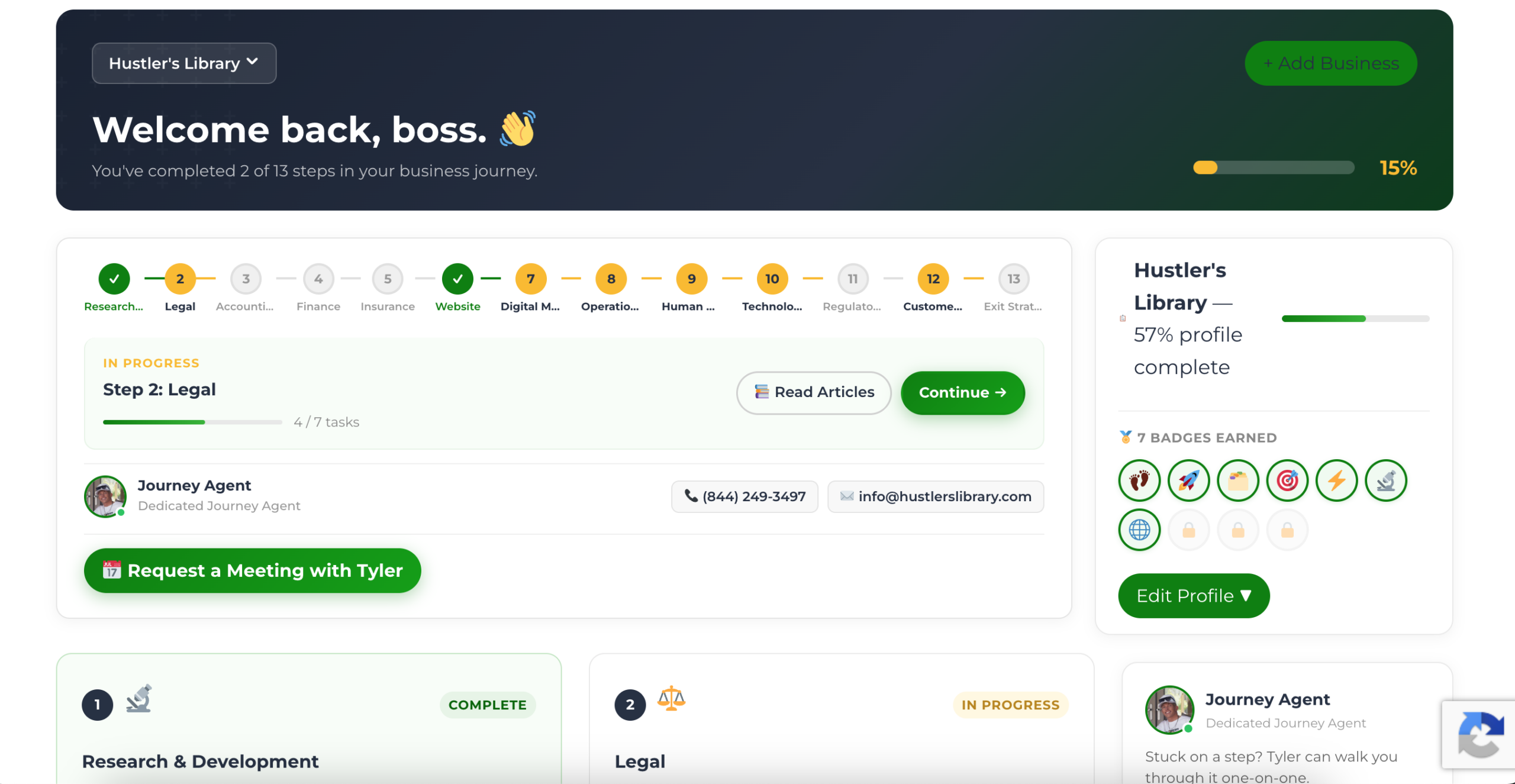
The Business Journey dashboard maps your exact position across all 13 stages. Track your progress, unlock resources for each step, and build with a framework used by thousands of founders at Hustler's Library.
No credit card required · Takes 3 minutes · Personalized to your stage