Most small business owners set up a website, launch their service, and move on. The fine print? That’s something big companies worry about. Except it isn’t. A Terms and Conditions page isn’t corporate boilerplate; it’s one of the simplest, most effective ways to protect your business, set expectations with customers, and reduce your legal exposure. Here’s everything you need to know to create one that actually works.
What Is a Terms and Conditions Page?
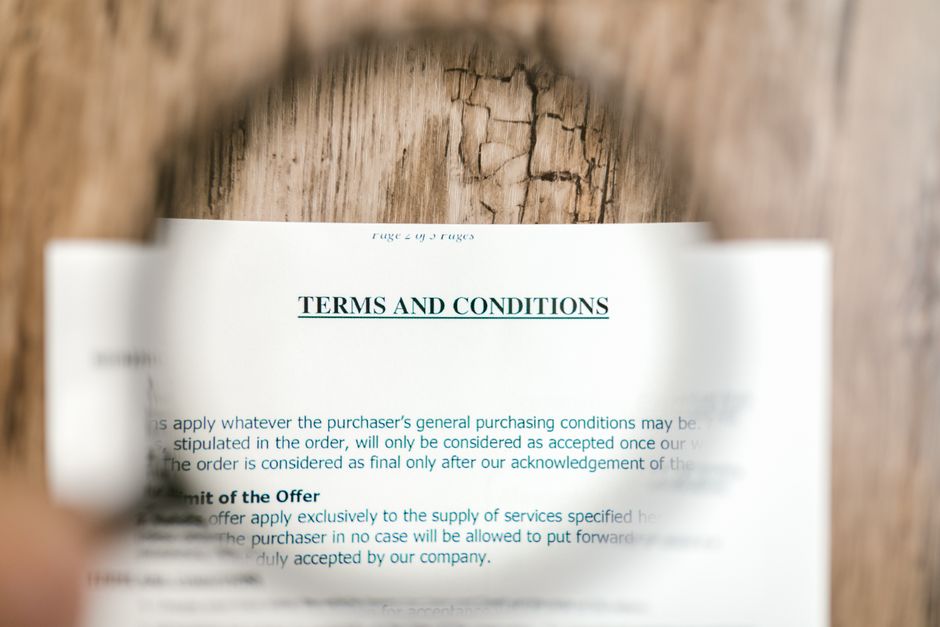
A Terms and Conditions page (sometimes called Terms of Service or Terms of Use) is a legal agreement between your business and anyone who uses your website, buys your products, or engages your services. It outlines the rules of the relationship: what you offer, what the customer agrees to, and what happens when things go sideways.
Unlike a Privacy Policy (which is often legally required), a Terms and Conditions page is technically optional. But optional doesn’t mean unimportant. A well-written T&C page can protect you from chargebacks, limit your liability in disputes, prevent misuse of your content, and even deter bad-faith customers before they become problems.
Why Your Small Business Needs One
Here’s the honest truth: most small business owners won’t get sued over their website. But the ones who wish they had a Terms and Conditions page usually find out the hard way. Common situations where T&C pages matter include:
- Refund and cancellation disputes. If a customer demands a refund 90 days after purchase and your policy isn’t documented anywhere, you’re arguing from a weak position. A T&C page sets the terms upfront.
- Content ownership. If you publish blog posts, photos, guides, or tools, your T&C page establishes that your content belongs to you and can’t be copied without permission.
- Misuse of your service. If someone uses your platform or service in a way you didn’t intend, a T&C page gives you documented grounds to remove them or terminate the relationship.
- Liability limitation. If your product or service includes advice, recommendations, or information, you can limit your legal liability for outcomes the customer experiences.
- Governing law. If a dispute ever escalates, your T&C page can specify which state’s laws apply and where disputes must be resolved, potentially saving you from being dragged into a distant courtroom.
What to Include in Your Terms and Conditions Page
Your T&C page doesn’t need to be 20 pages of dense legalese. In fact, the clearer and more readable it is, the more likely customers will actually see it before they click “agree.” Here are the sections every small business T&C page should cover:
1. Acceptance of Terms
Start with a clear statement that by using your website or service, the user agrees to your terms. This is the foundation of the whole document. Without it, you can’t claim someone was bound by your rules.
2. Description of Services or Products
Briefly describe what you offer. This doesn’t need to be a sales pitch; it just needs to establish what the customer is agreeing to purchase or use. If you offer multiple services, a general description works fine.
3. Payment Terms
Spell out how payment works: when it’s due, what forms of payment you accept, what happens if a payment fails, and any consequences of non-payment. If you offer subscriptions, detail how recurring billing works and how customers can cancel.
4. Refund and Cancellation Policy
This is one of the most important sections for dispute prevention. State your policy clearly: do you offer refunds? Under what conditions? Within what timeframe? Are digital products or completed services non-refundable? Be specific. Vague refund policies create room for argument.
5. Intellectual Property Rights
Assert that your website content, branding, product designs, and written materials are owned by your business. Prohibit unauthorized copying, reproduction, or use without your written consent. If you use third-party content (stock photos, licensed tools), note that too.
6. User Conduct (If Applicable)
If your site has any interactive elements (forums, user accounts, reviews, forms), include a section on acceptable use. Prohibit spamming, harassment, fraudulent activity, and anything else that would harm your business or other users. This also gives you documented grounds to ban or remove problematic users.
7. Disclaimers and Limitation of Liability
This section limits what you’re responsible for. Common disclaimers include: your service is provided “as is” without warranties, results are not guaranteed, and you are not liable for indirect or consequential damages arising from use of your product or service. If you’re in a field like health, finance, or legal services, include a clear disclaimer that your content isn’t professional advice and doesn’t replace consulting a licensed professional.
8. Governing Law and Dispute Resolution
Specify which state’s laws govern the agreement and where any disputes must be handled. If possible, choose your home state. You can also include a clause requiring disputes to go through arbitration or mediation before litigation, which is faster and cheaper for everyone involved. For more on handling disputes without court involvement, see our guide: How to Resolve a Business Dispute Without Going to Court.
9. Changes to the Terms
Reserve the right to update your T&C page at any time. Note that continued use of your website or service after changes constitutes acceptance of the new terms. This keeps your document relevant as your business evolves without requiring users to re-sign every time you make a change.
10. Contact Information
End with your business name, contact email, and a way for users to reach you with questions. This is both legally prudent and good for customer trust.
How to Actually Write It
You have a few options for creating your Terms and Conditions page:
Use a Template Generator
Free tools like Termly, GetTerms.io, and PrivacyPolicies.com let you generate a basic T&C page by answering a few questions about your business. The result isn’t perfect, but it covers the essentials and is significantly better than nothing. For most small businesses just getting started, this is a reasonable first step.
Hire a Business Attorney
If you’re in a high-risk industry (healthcare, finance, legal services, e-commerce with complex products), or if your business collects significant personal data, investing in a custom T&C document from a licensed attorney is worth it. Expect to pay anywhere from $300 to $1,000 depending on the complexity. A good business attorney will also flag clauses that may be unenforceable in your state. For a broader look at limiting your legal exposure, see our guide: How to Protect Your Small Business from Lawsuits.
Use a Hybrid Approach
Generate a template, customize it for your specific business, and then have an attorney review it for $100 to $200. You get the efficiency of a template with the assurance of professional review. This is the approach most small business owners find most cost-effective.
Making It Visible and Enforceable
Writing good terms is only half the battle. For them to hold up legally, you need to make sure users have a reasonable opportunity to see and agree to them. Courts have thrown out T&C agreements that were buried in fine print or never presented to users at all.
Best practices for enforcement include:
- Footer link. Place a link to your T&C page in your website footer on every page. This establishes that the document is accessible at all times.
- Checkout acknowledgment. If you sell products or services online, add a checkbox at checkout that reads something like: “I agree to the Terms and Conditions.” Don’t pre-check it. Users need to actively accept.
- Account creation. If users create accounts on your platform, require T&C acceptance as part of the sign-up flow.
- Email confirmations. Include a link to your T&C in purchase confirmation emails so there’s a timestamped record that the customer was directed to the document.
The FTC provides guidance on online disclosures that can help you ensure your T&C presentation meets federal expectations. You can review their guidelines at FTC.gov.
What Your T&C Page Won’t Do
Be realistic about what you’re getting. A Terms and Conditions page is a risk management tool, not a force field. Courts can strike down provisions that are unconscionable, overly broad, or contrary to state law. A poorly written limitation of liability clause may offer no protection at all. And determined bad actors will ignore your T&C just like they ignore everything else.
What a T&C page does do is give you a clear, documented foundation for most everyday disputes and misunderstandings. When a customer claims they didn’t know your refund policy, you can point directly to a document they agreed to. That’s not nothing; that’s often enough to resolve the situation without escalation.
Combined with a solid Non-Disclosure Agreement for confidential relationships, your legal documentation becomes a real business asset. Read our guide on How to Use a Non-Disclosure Agreement to Protect Your Small Business to complete your legal toolkit.
Final Thoughts
A Terms and Conditions page is one of those business tasks that feels optional right up until the moment it isn’t. It takes a few hours to create, costs little to nothing if you use a template, and can save you significant time, money, and stress when disputes arise. For a small business owner, that’s an easy return on investment.
Start with a template, customize it for your actual business practices, make it visible on your website, and review it once a year as your business grows. You’ll rarely think about it; but when you need it, you’ll be glad it’s there.
Want more plain-English guides to running a smarter small business? Join Hustler’s Library for free and get actionable insights delivered straight to your inbox.
Ready to Know Where You Stand?
The Business Journey dashboard maps your exact position across all 13 stages. Track your progress, unlock resources for each step, and build with a framework used by thousands of founders at Hustler's Library.

No credit card required · Takes 3 minutes · Personalized to your stage