You finished the job. You delivered the product. You put in the hours. And now you’re waiting to get paid.
For a lot of small business owners, invoicing is an afterthought. They do the work, scribble something up in a Word doc or an email, and hope the client pays within a reasonable time. Sometimes that works. Often it doesn’t.
A proper invoicing system isn’t just about looking professional. It’s about getting paid faster, reducing disputes, keeping your books clean, and protecting yourself legally. If you’re running a business without one, you’re leaving money on the table and adding unnecessary stress to your life.
Here’s how to build a simple invoicing system that works.
What a Good Invoicing System Actually Does
Before you start picking tools, it helps to understand what you’re actually trying to accomplish. A strong invoicing system should:
- Send invoices quickly after work is completed (or on a schedule for retainers)
- Include all the information clients need to pay you without questions
- Track which invoices are paid, outstanding, or overdue
- Follow up automatically on late payments
- Integrate with your bookkeeping so you’re not doing double entry
- Create a paper trail in case of disputes
Most small business owners only do the first two. The rest is where the real leverage is.
Step 1: Choose the Right Invoicing Tool
You don’t need expensive software. But you do need something better than a Word template or a Gmail attachment with no tracking.
Here are the most practical options depending on where you are in business:
Free or Low-Cost Options
- Wave — Completely free invoicing with payment processing built in. Good for service businesses just starting out.
- PayPal Invoicing — Simple, widely trusted, and your client probably already has a PayPal account. Fees apply on payments, not invoices.
- Square Invoices — Great if you already use Square for in-person payments. Free plan available.
Mid-Tier Options (Best for Growing Businesses)
- FreshBooks — Built specifically for small service businesses. Excellent automation, time tracking, and client portal. Starts around $19/month.
- QuickBooks — The industry standard if you need invoicing plus full accounting in one place. More robust, slightly steeper learning curve.
- HoneyBook or Dubsado — These are client management platforms that include invoicing. Best for creatives, consultants, and service providers who also need contracts and scheduling.
Pick something you’ll actually use. The best tool is the one you send invoices from consistently.
Step 2: Build Your Invoice Template
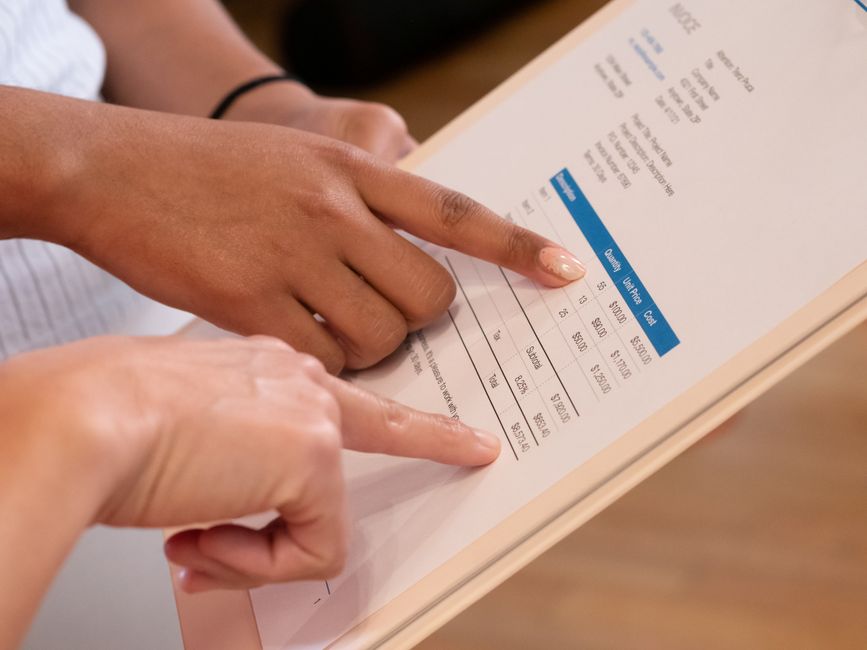
Every invoice you send should include the same essential information. Missing any of these is a common reason clients delay payment or push back.
Required elements on every invoice:
- Your business name, logo, and contact info
- Client name and billing address
- Invoice number (use sequential numbering for tracking)
- Invoice date and due date
- Line items with clear descriptions, quantities, and rates
- Subtotal, taxes (if applicable), and total due
- Accepted payment methods (check, ACH, credit card, etc.)
- Late fee policy (more on this below)
- Any project reference number the client uses internally
The descriptions on your line items matter more than most people realize. “Consulting services — July” tells the client nothing and gives them a reason to ask questions before paying. “Brand strategy session, 3 hours at $150/hr — July 14” is clear, verifiable, and payable.
Step 3: Set Your Payment Terms (And Put Them in Writing)
Payment terms are the agreement between you and your client about when they’re expected to pay. If you don’t define them clearly, clients will define them for you and it usually won’t be in your favor.
Common payment terms:
- Due on Receipt — Payment expected immediately. Works well for retail, e-commerce, and low-trust new clients.
- Net 15 — Payment due within 15 days. Good for small service businesses with steady clients.
- Net 30 — Payment due within 30 days. Standard for B2B and larger clients with their own AP processes.
- 50% Upfront / 50% on Completion — Protects you on larger projects. Highly recommended for project-based work.
Whatever terms you use, make sure they appear both on your invoice and in your service agreement. A client can’t claim they didn’t know the due date if it’s on both documents they signed.
If you need help structuring the underlying contract, check out our guide on how to use milestone-based contracts to get paid faster.
Step 4: Add a Late Fee Policy
This is the step most small business owners skip. And it’s the one that costs them the most.
A late fee policy does two things: it motivates clients to pay on time, and it compensates you when they don’t. A common structure is 1.5% per month on the outstanding balance after the due date. Some businesses use a flat fee (like $25 or $50) for simplicity.
The key is that the policy must be disclosed before you start working together, not just added to an invoice after the fact. Include it in your service agreement, your proposal, and your invoice. A line like “Invoices unpaid after 30 days are subject to a 1.5% monthly late fee” is enough.
You may never actually charge the late fee. The goal is to make on-time payment the path of least resistance.
Step 5: Automate Your Follow-Up
Chasing late invoices by hand is exhausting. It also makes things awkward with clients you want to keep. Automation removes the emotional friction and keeps the follow-up consistent.
Most invoicing platforms let you set up automatic reminder sequences. A simple three-touch system works well:
- 3 days before due date: Friendly reminder with invoice attached
- 1 day after due date: Gentle nudge noting the invoice is now overdue
- 7 days after due date: Firmer notice referencing the late fee policy
After that, it’s time for a direct conversation. If the invoice is still unpaid after 30 days, escalate to a phone call. If it reaches 60 days, consider whether it’s worth engaging a collections service or small claims court depending on the amount.
Step 6: Keep Your Invoices Connected to Your Books
One of the most common small business mistakes is running invoicing and bookkeeping in two separate systems that never talk to each other. That means double data entry, mistakes, and gaps in your financial reporting.
If you’re using QuickBooks or FreshBooks, your invoices are already part of your accounting records. If you’re using a standalone invoicing tool, make sure it integrates with whatever you use to track your finances.
This becomes especially important when it’s time to review your numbers, file taxes, or get a loan. A lender looking at your revenue history needs to see invoices that match your bank deposits. If they don’t, you’re going to have a hard time. For a deeper look at setting up your financial tracking, read our guide on how to set up a simple bookkeeping system for your small business.
Step 7: Protect Yourself With Proper Record-Keeping
Disputes happen. Clients forget they agreed to something. A project scope changes and nobody documented it. When that happens, your invoices become evidence.
Keep copies of every invoice you send, along with:
- The original contract or proposal that authorized the work
- Any change orders or scope additions in writing
- Email confirmations or approvals from the client
- Delivery confirmations for products or completed project milestones
The IRS recommends keeping business financial records for at least three to seven years depending on the type of document. Cloud-based invoicing platforms make this easy since everything is stored and searchable automatically.
For guidance on what should live in your contracts to back up your invoices, see the SBA’s small business finance management guide.
Common Invoicing Mistakes to Avoid
Even experienced business owners fall into these traps:
- Waiting too long to invoice. Send the invoice the same day the work is done or the product is delivered. The longer you wait, the slower you’ll get paid.
- Using vague line item descriptions. Be specific. “Logo design, 2 rounds of revisions” is better than “Design work.”
- Not confirming receipt. Some invoicing tools show when an invoice has been viewed. If yours doesn’t, a quick message confirming the client received it prevents the “I never got it” excuse.
- Letting invoices sit past 90 days. The older an invoice, the harder it is to collect. If something is more than 60 days overdue, escalate immediately.
- Not charging late fees when your policy says you will. If you have a late fee policy and never enforce it, clients learn it’s not real.
The Bottom Line
Getting paid consistently and on time isn’t just about being organized. It’s about building a system that treats your business like a business. When your invoicing is airtight, clients take you more seriously, disputes are easier to resolve, and your cash flow becomes more predictable.
You don’t need to overhaul everything at once. Start with a simple template in a tool you’ll actually use, define clear payment terms, and set up one automated reminder. Those three changes alone will improve your collection rate faster than almost anything else.
The money is already there. You just need a system that goes and gets it.
Want more practical guides for running a smarter small business? Join the Hustler’s Library for free and get access to tools, templates, and strategies that actually move the needle.
Ready to Know Where You Stand?
The Business Journey dashboard maps your exact position across all 13 stages. Track your progress, unlock resources for each step, and build with a framework used by thousands of founders at Hustler's Library.

No credit card required · Takes 3 minutes · Personalized to your stage